
Smart plugs and timers have become essential tools for many South African households looking to reduce energy consumption and save on electricity costs. By enabling precise control over when devices are powered on or off, they help prevent energy waste and automate household routines. However, knowing how to use these devices effectively is key to maximising savings.
Understanding Smart Plugs and Timers
Smart plugs are devices you plug into an existing outlet, allowing you to control the power supply to whatever is plugged into them via a smartphone app or a smart assistant. Timers, on the other hand, are typically more traditional devices programmed to turn appliances on or off at preset times. Both styles can help monitor and manage energy use.
Benefits of Using Smart Plugs and Timers
When used correctly, smart plugs and timers can lead to significant savings:
- Automatic Scheduling: You can set schedules to ensure devices only run when needed, avoiding unnecessary electricity consumption.
- Remote Control: Many smart plugs allow control through apps, helping you switch off devices if you forget.
- Monitoring Energy Usage: Some smart plugs record how much energy each device uses, providing insights for further savings.
Choosing the Right Smart Plugs and Timers
To make the most of these devices, consider the following factors:
- Compatibility: Ensure the smart plugs are compatible with your home automation system or smartphone.
- Energy Tracking: Look for models that track energy usage if monitoring consumption is a priority for you.
- Load Capacity: Check the load rating to ensure it can handle the appliances you intend to use.
- Local Support: Since you’re in South Africa, select products that offer local support and warranties.
How to Set Up Smart Plugs and Timers
Setting them up can vary slightly by device. Here’s a general step-by-step guide to help you get started:
- Download the App: Most smart plugs require a specific app to manage settings. Download it on your smartphone.
- Plug In the Device: Insert the smart plug into an outlet and connect the device you want to manage.
- Connect to Wi-Fi: Follow the app instructions to connect your smart plug to your home Wi-Fi network.
- Set Schedules: Use the app to create on/off schedules tailored to your household needs.
- Monitor Usage: If available, check your app for energy consumption details, allowing you to adjust settings accordingly.
Common Uses for Smart Plugs and Timers
Here are some practical ways to use smart plugs and timers effectively:
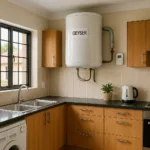


- Lighting Control: Schedule lights to turn on at sunset and off at bedtime, making your home more secure without wasting power.
- Heater and Air Conditioner Management: Set timers for heating or cooling devices to operate only when you are home, rather than running continuously.
- Kitchen Appliances: Program coffee makers or slow cookers to start just before you wake up, so meals and drinks are ready without continuous electricity draw.
Avoiding Common Mistakes
While smart plugs and timers can provide savings, there are also common pitfalls to avoid:
- Overloading: Never plug devices that exceed the smart plug’s rated capacity. This can cause overheating and potential fires.
- Ignoring Energy Monitoring: Failing to utilise built-in energy tracking features can lead to missed savings opportunities.
- Inconsistent Scheduling: Regularly update your schedules according to your routines, ensuring they remain effective throughout the seasons.
Limitations of Smart Plugs and Timers
While beneficial, there are limitations to consider:
- Connectivity Issues: If your Wi-Fi is unreliable, you may find smart plugs lose connection, limiting their effectiveness.
- Dependence on Apps: Users may face challenges if they forget to use the app or if the app experiences bugs.
- Appliance Compatibility: Not all appliances may be compatible with smart plugs or timers, particularly those with specialized power needs.
Frequently Asked Questions
1. Can I use smart plugs with any device?
Not all devices are suitable for smart plugs. Avoid high-wattage appliances and always check the plug’s load specifications.
2. Will my devices work without Wi-Fi?
If a smart plug is Wi-Fi dependent, it won’t operate without a connection. Consider smart plugs with Bluetooth capabilities as an alternative.
3. How much can I save using smart plugs and timers?
Savings vary per household. Monitoring energy usage through smart plugs gives insights into potential reductions in your electricity bill.
4. Are smart plugs safe?
When used according to manufacturer guidelines and within load limits, smart plugs are generally safe.
5. Can I control smart plugs remotely?
Yes, most smart plugs can be controlled remotely via their respective apps.

Kagiso Maseko is an author at Maventaro who writes about practical and affordable solutions for South African homes. His articles help readers make informed decisions about backup power, water storage, internet connectivity, home maintenance and everyday savings.